On this page
Top picks at a glance
As an Amazon Associate I earn from qualifying purchases.
- 1
 Kasa Smart Plug HS103P39.7/10View on Amazon
- 2
 Kasa Smart Plug HS103P29.6/10View on Amazon
- 3
 Amazon Basics Smart Plug with Timer and Voice Control9.5/10View on Amazon
- 4
 DIGITEN WTC100 Wireless Thermostat Outlet Plug-in for CoolingView on Amazon
- 5
 DIGITEN Wireless Temperature Controlled OutletView on Amazon
- 6
 INKTEM Plug in Temperature Controlled Outlet for HeaterView on Amazon
- 7
 WTC100 Wireless Temperature Controller Digital Plug-inView on Amazon
- 8
 DIGITEN Wireless Thermostat Plug in Thermostat Outlet forView on Amazon
A cold snap after the first seed trays are sown is the moment a smart plug with temperature sensor earns its place in the greenhouse. The short answer: it is an outlet that reads the air temperature and switches a heater or a fan on and off by itself, so the greenhouse stays in range while the grower is away. This guide explains the kinds of plug on the market, the figures that matter, and how to set it up step by step.
Other options worth a look
 DIGITEN WTC100 Wireless Thermostat Outlet Plug-in for CoolingCheck price on Amazon
 DIGITEN Wireless Temperature Controlled OutletCheck price on Amazon
 INKTEM Plug in Temperature Controlled Outlet for HeaterCheck price on Amazon
 WTC100 Wireless Temperature Controller Digital Plug-inCheck price on Amazon
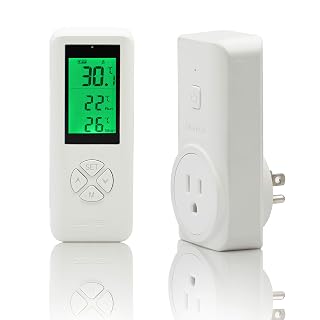 DIGITEN Wireless Thermostat Plug in Thermostat Outlet forCheck price on Amazon
GreenhouseGearHQ earns a commission when you buy through links on this page, at no extra cost to you. As an Amazon Associate I earn from qualifying purchases. Affiliate disclosure.
Smart plug with temperature sensor: what it does
A smart plug with temperature sensor combines an outlet with a temperature reading, so the plug can switch the connected heater or fan by temperature instead of by clock. A thermostat outlet reads the air and turns the load on when the air cools to its set point, then off again as the air warms. A WiFi plug without a sensor can only follow schedules and app commands, so it cannot react to a cold night or a hot afternoon on its own.
- Thermostat outlet: switches by temperature, with the switch points fixed on the plug. See the digital thermostat controller picks for set-point models.
- WiFi plug: switches by app, voice or schedule, and needs a separate sensor or controller to react to temperature.
- Heater or fan: the load the plug controls, from a greenhouse heater to a circulation fan.
- Sensor placement: the plug or its probe sits where the air reading matches the plants, away from the heater itself.
- Power and weather rating: the plug must suit the load and the place it will live, indoors or under cover outdoors.
How to set up a smart plug with temperature sensor, step by step
Step 1: Pick the plug type that senses temperature
Start by checking whether the plug senses temperature at all. The Tecreddy outlet (on Amazon) is a thermostat outlet: it lists a heavy-duty temperature sensor and switches a connected load on at 37°F and off at 50°F. The GHome Smart plug (on Amazon) is a WiFi plug: it lists app control, voice control with Alexa and Google Home, schedules and a timer, but the listing names no temperature sensor, so it cannot switch by temperature on its own. For a greenhouse heater that must come on in a cold snap, the thermostat outlet is the direct fit; for lamps and fans on a fixed routine, the WiFi plug suits the job.
| Plug listing | Switches by | Stated switch points | Best fit |
|---|---|---|---|
| Tecreddy thermostat outlet | Temperature sensor | On at 37°F, off at 50°F | Greenhouse heater in cold weather |
| GHome Smart WiFi plug | App, voice or schedule | Not stated | Lamps and fans on a fixed routine |
Step 2: Match the plug to the load
Check the load rating first. The Tecreddy outlet lists 120V and 15A, with 14AWG wiring and a 27 inch cord, and names heat cables, heat tape, stock tank and bird bath heaters, chicken coop heaters, greenhouse heaters, RV tank heaters, and garage and shed heaters among its uses. The GHome Smart plug lists a 2-pack, measures 2.1 x 2.1 x 1.1 inches, and works with Alexa and Google Home on a 2.4GHz WiFi network, with no hub required. Match the plug to the heater or fan it will switch, and check the heater listing for its own rating first.
Step 3: Place the sensor where the plants are
A thermostat outlet can only switch on the air it reads, so place it where the reading matches the plants, away from the heater outlet, out of direct sun through the glazing, and away from drips from the roof or from watering. The Tecreddy outlet is sized to fit inside standard exterior weatherproof outlet covers, and its listing states it is rated for continuous exposure to snow, rain and ice. The GHome Smart plug is listed as an indoor plug, so keep it inside and dry.
Step 4: Set schedules and check the switch
For a WiFi plug, set the schedule in the app: the GHome Smart plug lists schedules and a timer function, with circular or random timing, and app control from anywhere through the GHome, Smart Life or Tuya app. For a thermostat outlet, there is nothing to set: plug the heater in, and the outlet switches it on at 37°F and off at 50°F. Check the switch by watching the heater come on as the air cools, and confirm the plug sits firmly in the outlet with its cover closed.
Indoors or inside the greenhouse?
Check each plug’s location rating before moving it into the greenhouse. The Tecreddy outlet is built for outdoor use, with a weatherproof build and a listing that states exposure to snow, rain and ice, so it suits a greenhouse heater on an exterior outlet. The GHome Smart plug is an indoor plug with a 2.4GHz WiFi link, so it suits lamps and fans inside the house or in a dry potting shed with WiFi in range. If the greenhouse has no WiFi in range, a thermostat outlet that needs no network is the simpler fit. See the greenhouse climate controller picks for more on keeping heat in range.
What this guide does not cover
This guide does not give target temperatures for crops, heater sizes for a given greenhouse, or wiring advice. Seed packets and the heater and plug manuals give those figures; a qualified electrician can advise on circuits and outdoor outlets. This guide also does not cover fertilizer or pest products; follow the product label.
FAQ for growers
Can a smart plug control a greenhouse heater?
Yes, when the plug senses temperature. The Tecreddy thermostat outlet switches a heater on at 37°F and off at 50°F, while a WiFi plug without a sensor can only switch by schedule or app command.
Does the GHome Smart plug have a temperature sensor?
No temperature sensor is listed for the GHome Smart plug. It lists WiFi control, voice control with Alexa and Google Home, schedules and a timer on a 2.4GHz network.
What temperature does a thermostat outlet switch at?
Each model lists its own switch points. The Tecreddy outlet lists on at 37°F and off at 50°F, so check the listing for the model in hand.
Can I use a smart plug outdoors in the greenhouse?
It depends on the listing. The Tecreddy outlet is listed as a weatherproof outdoor outlet rated for snow, rain and ice, while the GHome Smart plug is listed for indoor use.
Do I need a hub for a WiFi smart plug?
Not for the GHome Smart plug, which lists no hub required and connects by Bluetooth or WiFi. Check the listing for any other plug.
Keep reading
See every greenhouse heaters guide and the greenhouse data logger picks.
More picks: greenhouse climate controllers, wireless greenhouse controllers, greenhouse thermometers with WiFi and heaters for mini greenhouses.