On this page
Top picks at a glance
As an Amazon Associate I earn from qualifying purchases.
- 1
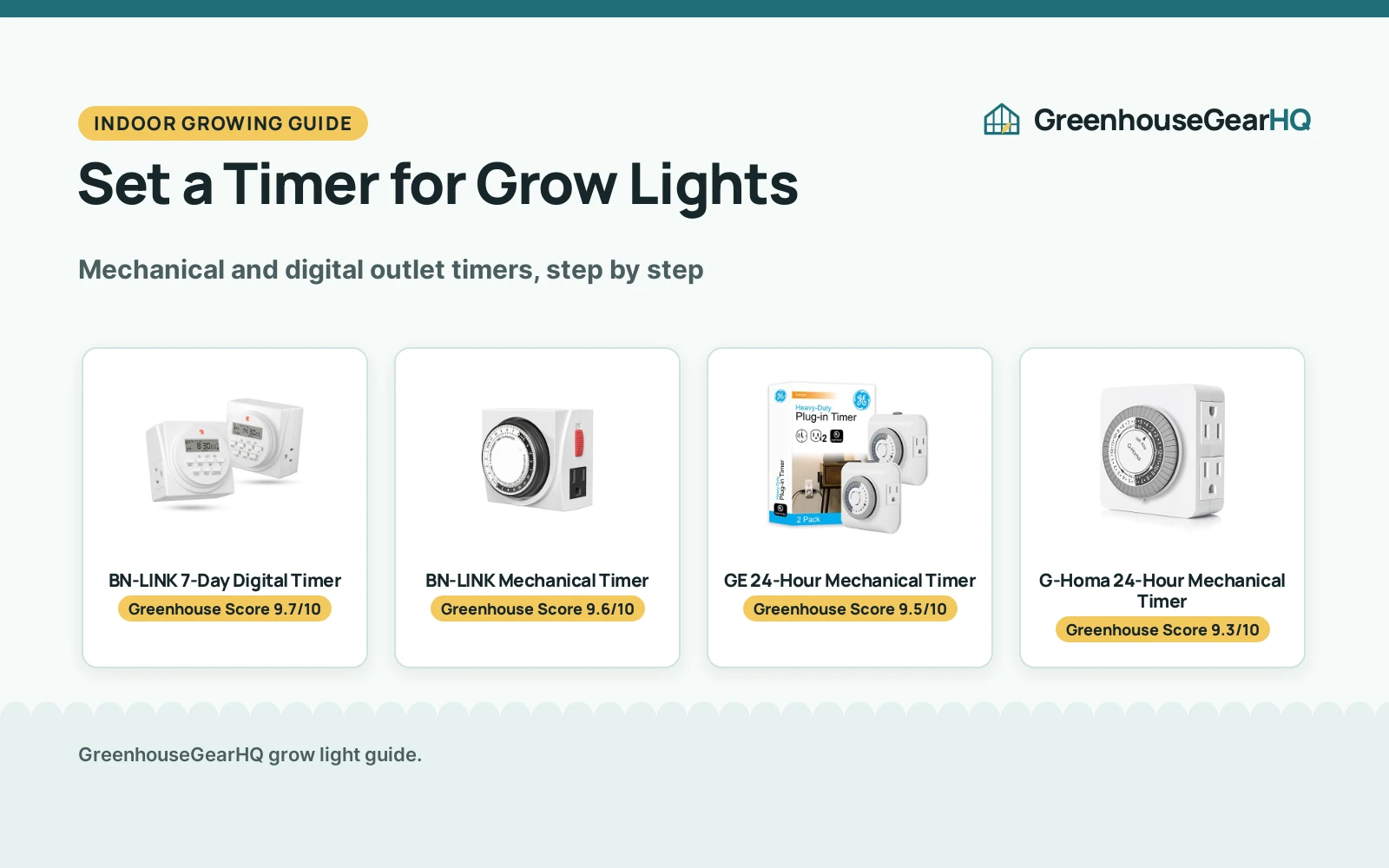
 BN-LINK 7-Day Digital Timer9.7/10View on Amazon
- 2
 BN-LINK Mechanical Timer9.6/10View on Amazon
- 3
 GE 24-Hour Mechanical Timer9.5/10View on Amazon
- 4
 G-Homa 24-Hour Mechanical Timer9.3/10View on Amazon
Learning how to set a timer for lights takes the guesswork out of the daily on and off routine for grow lights. A timer switches the lights on and off, so seedlings get a steady routine.
GreenhouseGearHQ earns a commission when you buy through links on this page, at no extra cost to you. As an Amazon Associate I earn from qualifying purchases. Affiliate disclosure.
| # | Product | Greenhouse Score | Buy |
|---|---|---|---|
| 1 | BN-LINK 7-Day Digital Timer | 9.7/10 | Buy on Amazon |
| 2 | BN-LINK Mechanical Timer | 9.6/10 | Buy on Amazon |
| 3 | GE 24-Hour Mechanical Timer | 9.5/10 | Buy on Amazon |
| 4 | G-Homa 24-Hour Mechanical Timer | 9.3/10 | Buy on Amazon |
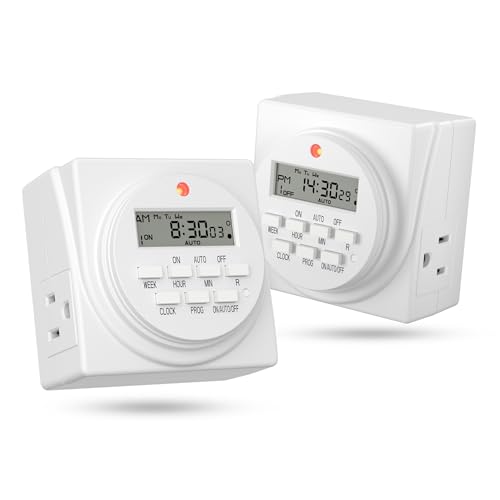
BN-LINK 7-Day Digital Timer
A 2-pack digital timer with 8 on/off programs for lamps and grow lights.
Pros
- 8 on/off programs, settings as short as one minute
- Backup battery keeps settings in a power outage
- Random and Daylight Savings modes
Cons
- Title lists 1875W, bullets list 1725W: check the load figure
- Two outlets share one schedule, both switch together
- No per-outlet load figure is stated

BN-LINK Mechanical Timer
A heavy duty mechanical timer with 15-minute pins and a daily repeat for plant lights.
Pros
- 15-minute pins set on and off times, no menu
- Schedule repeats every 24 hours
- Dual outlets run two lights from one timer
Cons
- No warranty term is stated
- Times can only be set in 15-minute steps
- No day-of-week choice, daily repeat only

GE 24-Hour Mechanical Timer
A 2-pack mechanical timer with 30-minute pushpins and an override switch for indoor lighting.
Pros
- 30-minute pushpins set a daily cycle
- Two grounded outlets run two lights at once
- Override switch pauses the timer cycle
Cons
- No warranty term is stated
- No safety listing stated
- Times set in 30-minute steps only

G-Homa 24-Hour Mechanical Timer
A 24-hour mechanical timer with 2 grounded outlets for lamps.
Pros
- Two grounded outlets, one plug
- Small size, 1.18 x 3.14 x 3.14 inches
- 24-hour cycle for a daily routine
Cons
- No bullets, so setup details are not stated
- No warranty term is stated
- No safety listing stated
As an Amazon Associate I earn from qualifying purchases.
Other options worth a look
 BN-LINK U47 Indoor Mini 24-Hour Mechanical Outlet TimerCheck price on Amazon
 BN-LINK Indoor 7-Day Programmable Digital Timer OutletCheck price on Amazon
 HBN Indoor Mini 24-Hour Mechanical Outlet TimerCheck price on Amazon
 VIVOSUN Digital Timer Outlet 7 Day Programmable DigitalCheck price on Amazon
 Timer with Extension Cord for Indoor LightsCheck price on Amazon
What a timer does for grow lights
An outlet timer sits between the wall outlet and the light plug, and it cuts and restores power on the schedule you set. A mechanical timer repeats the same daily cycle, while a digital timer can run different days and several programs.
How to set a timer for lights, step by step
Step 1: Pick a mechanical or digital timer
Start with the kind of control you want. A mechanical timer uses pins you press down for the on hours, with 15-minute intervals on the BN-LINK model and 30-minute intervals on the GE model. A digital timer uses buttons and a display, and the BN-LINK digital timer offers 8 on/off programs over 7 days, with settings as short as one minute. Check the load figure first: the BN-LINK mechanical timer lists 15A/1875W, while the BN-LINK digital timer lists 15A/1875W in its title and 15A/1725W in its bullets.
Step 2: Set the on and off times
On a mechanical timer, press down the pins for the hours you want the lights on and leave the rest up for off, then set the dial to the current time. On a digital timer, pick the days first, then enter each on time and off time as a program. The BN-LINK digital timer also offers a Random mode and a Daylight Savings mode for varied timing or a seasonal clock change.
Step 3: Plug in the lights and check the repeat
Plug the timer into the wall outlet, then plug the lights into the timer outlets. Timers with two outlets, such as the BN-LINK mechanical timer, the BN-LINK digital timer and the GE timer, run two lights from one timer, and the outlets switch together. Let one full cycle run and watch the lights switch at the set times. If you need the lights on outside the schedule, the BN-LINK mechanical timer has a switch you flip to the On position to bypass the timer, and the GE timer has an override switch that pauses the cycle.
Step 4: Adjust through the season
Seedlings grow and the days lengthen, so revisit the schedule as the season changes. Move pins or edit programs rather than unplugging the timer. Keep the timer indoors and away from drips.
The timers for grow lights
Each timer below handles the switching step: it turns the lights on and off on the schedule you set.
What this guide does not cover
We do not give light hours or hanging heights, because they depend on the crop, the light and the room. Your seed packet and the light maker manual give those figures.
FAQ for growers
Can one timer run two grow lights?
Yes, if the timer has two outlets. The BN-LINK mechanical timer, the BN-LINK digital timer and the GE timer each list 2 grounded outlets that switch together, so two lights can share one schedule.
How do I set a mechanical timer?
Press down the pins for the hours you want the lights on and leave the rest up for off, then set the dial to the current time. The BN-LINK timer uses 15-minute pins, and the GE timer uses 30-minute pushpins.
What is the difference between a mechanical and a digital timer?
A mechanical timer repeats the same daily cycle, while a digital timer can run different days and several programs. The BN-LINK digital timer offers 8 on/off programs over 7 days with settings as short as one minute.
Do these timers keep their schedule after a power cut?
The BN-LINK digital timer lists a backup battery that keeps settings through a power outage. The mechanical timers in this guide list no backup battery, so check the listing before you buy.
Keep reading
See every indoor growing guide and all light and heat guides. Also see our grow lights for seedlings picks.
More picks: indoor grow light, clip-on grow light with timer, seedling heat mat and greenhouse shelving.